क्या-क्या है · What it does
हिंदी
- परिवार के साथ live साझा: 6 phone तक एक ही हिसाब; कोई भी खर्च लिखे, कुछ सेकंड में सबके phone पर। सब कुछ ताले में बंद (end-to-end encrypted) होकर जाता है।
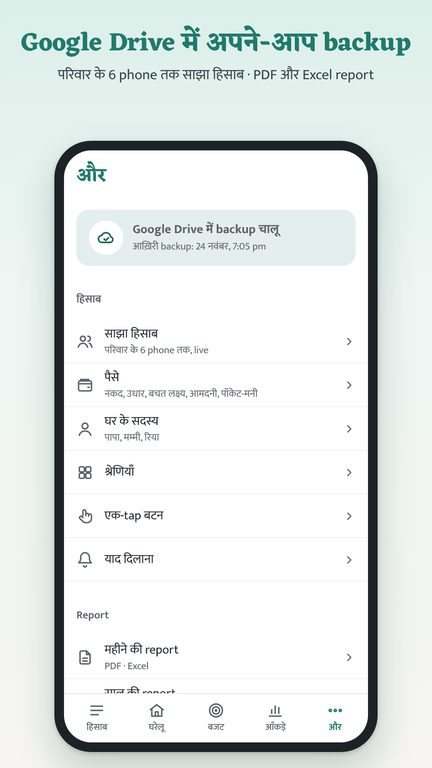
- Google Drive में अपने-आप backup: नया phone लें या app दोबारा डालें, उसी Google account से सब वापस।
- खर्च लिखना आसान: बोलकर लिखें, बिल की फ़ोटो, 120+45 जैसा जोड़, श्रेणी अपने-आप; UPI, नकद, कार्ड या नेट बैंकिंग।
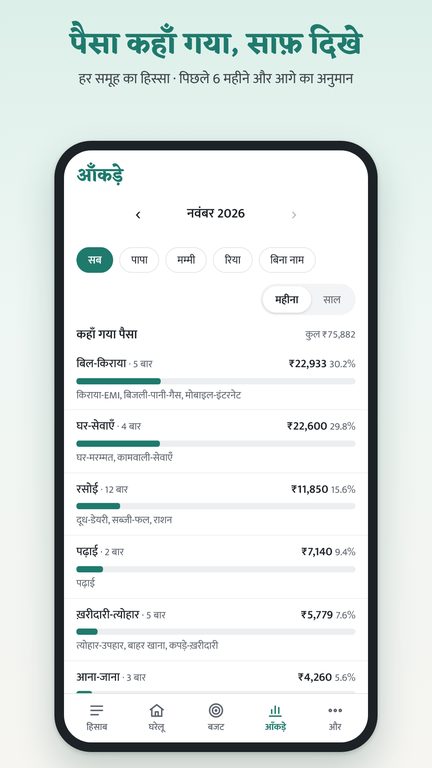
- किस चीज़ पर, किसके लिए: जैसे पढ़ाई में फ़ीस, किताबें; रिया या दादी जी के लिए। आँकड़े में हर चीज़ और हर व्यक्ति का खर्च अलग।
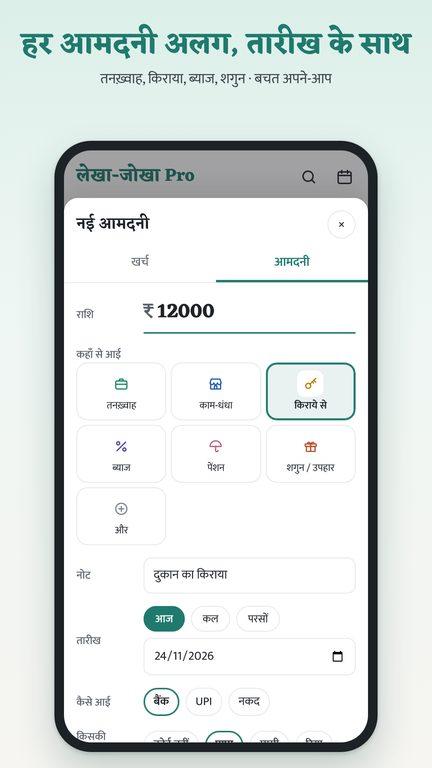
- हर आमदनी अलग: तनख़्वाह, किराया, ब्याज, शगुन; बचत अपने-आप।
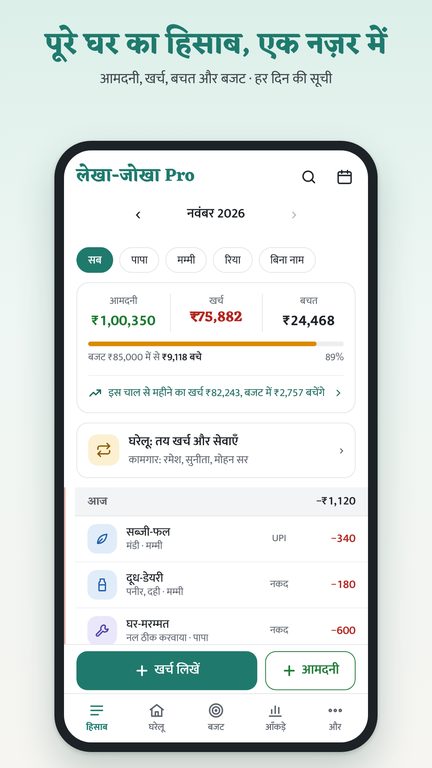
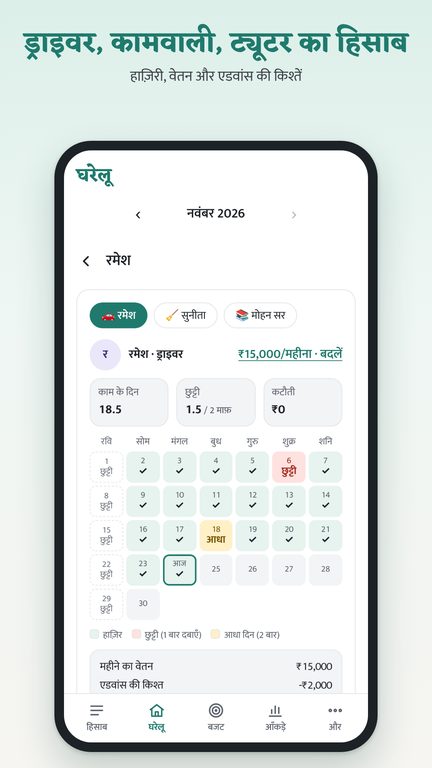
- घरेलू: किराया, EMI, फ़ीस जैसे तय खर्च; दूध-अख़बार का calendar; कामवाली, ड्राइवर, ट्यूटर की हाज़िरी, वेतन और एडवांस की किश्तें।
- बजट और आँकड़े: महीने का अनुमान, report card, रंगीन charts, PDF और Excel report।
- App lock: phone का अपना screen lock (pattern, PIN, fingerprint), या अलग PIN।
English
- Live sharing with family: one hisaab on up to 6 phones; whoever writes an expense, it shows on every phone in seconds. Everything is end-to-end encrypted.
- Automatic Google Drive backup: on a new phone or after reinstalling, everything comes back with the same Google account.
- Easy entry: speak an expense, keep bill photos, type sums like 120+45; category picked for you; UPI, cash, card or net banking.
- Spent on, and for whom: like fees or books under Education; for Riya or Grandma. Statistics show each item and each person.
- Each income on its own: salary, rent, interest, gifts; savings worked out for you.
- Household: fixed costs such as rent, EMI and fees; milk and newspaper calendar; attendance, salary and advances in instalments for house help, driver and tutor.
- Budgets and statistics: month forecast, report card, colourful charts, PDF and Excel reports.
- App lock: the phone's own screen lock (pattern, PIN, fingerprint), or a separate PIN.
झलक · Screenshots
Data कैसे मिटाएँ · How to delete your data
हिंदी
- Google Drive का backup: app में और → बैकअप → Drive से backup मिटाएँ। या Google Drive में Settings → Manage apps → लेखा-जोखा Pro → "Delete hidden app data"।
- साझा हिसाब: साझा हिसाब शुरू करने वाला "साझा बंद करें" दबाए, तो relay पर रखे सारे संदेश मिट जाते हैं।
- Phone का हिसाब: app हटाने (uninstall) या phone की Settings में app का data साफ़ करने पर सब मिट जाता है।
- हमारे पास आपका कोई account नहीं होता, इसलिए मिटाने के लिए हमें लिखने की ज़रूरत नहीं। फिर भी मदद चाहिए तो: kstatslab@gmail.com
English
- Google Drive backup: in the app, More → Backup → Delete backup from Drive. Or in Google Drive: Settings → Manage apps → Lekha Jokha Pro → "Delete hidden app data".
- Shared hisaab: when the person who started it taps "Stop sharing", every message kept on the relay is deleted.
- On the phone: uninstalling the app, or clearing its data in the phone's Settings, deletes everything.
- We keep no account for you, so you don't need to write to us to delete anything. If you need help: kstatslab@gmail.com
पूरी जानकारी · Full details: Privacy policy